How to Turn Bank Statement PDFs into Journal Entries
A practical guide to converting bank statement PDFs into double-entry journal entries: the manual method, the AI-assisted method, example entries with VAT, and the closing-balance check that catches most mistakes.
The short answer
For each line on the statement, record a double entry: money in is a debit to the bank and a credit to income, a customer balance or another account; money out is a credit to the bank and a debit to an expense, a supplier balance or another account. When the month is done, the bank account's balance in your books must equal the closing balance on the statement. If it doesn't, something is missing or doubled.
Key takeaways
- Every statement line becomes one balanced entry with the bank on one side.
- The hard part is choosing the other account, not the arithmetic.
- Split VAT out of the total when no invoice or bill is already recorded.
- Transfers between your own accounts are neither income nor expense.
- Finish every month by matching the closing balance.
What does a journal entry from a bank statement look like?
Each statement line has a date, a description and an amount in or out. The bank account is always one side of the entry; your job is to decide the other side. These examples use AED and the UAE's 5% VAT rate.
| Statement line | Debit | Credit |
|---|---|---|
| Customer pays invoice INV-104, AED 10,500 | Bank AED 10,500 | Accounts receivable AED 10,500 |
| Card sale with no invoice recorded, AED 1,050 | Bank AED 1,050 | Sales AED 1,000 and VAT payable AED 50 |
| Office rent, AED 12,000 | Rent expense AED 12,000 | Bank AED 12,000 |
| Software subscription, AED 367 with VAT | Software AED 349.52 and VAT recoverable AED 17.48 | Bank AED 367 |
| Supplier paid against a recorded bill, AED 4,200 | Accounts payable AED 4,200 | Bank AED 4,200 |
| Salaries through WPS, AED 48,000 | Salaries AED 48,000 | Bank AED 48,000 |
| Transfer to your savings account, AED 50,000 | Savings account AED 50,000 | Bank AED 50,000 |
| Bank charges, AED 25 | Bank charges AED 25 | Bank AED 25 |
| Owner withdrawal, AED 15,000 | Owner's drawings AED 15,000 | Bank AED 15,000 |
How do you do it by hand?
- 1
Download text-based PDFs
Statements downloaded from online banking contain real text you can copy. Scanned paper statements are images and need OCR (text recognition) first, which introduces errors in amounts.
- 2
Get the lines into a spreadsheet
Copy the transactions, or use your bank's CSV or Excel export if it has one. Keep one column each for date, description, money in and money out.
- 3
Clean the data
Fix dates to one format, remove page headers and running-balance rows, and make sure money out is negative or in its own column.
- 4
Choose the account for each line
Map each line to your chart of accounts. Group repeat payees (rent, payroll, the same software) so you decide once. Mark lines you don't recognise to ask about.
- 5
Split VAT where needed
If there's no invoice or bill in your books for the line, split the VAT from the total using the supplier's tax invoice.
- 6
Record the entries
Enter each line as a balanced debit and credit, with the date from the statement and the description as the narration.
- 7
Match the closing balance
Compare the bank account's balance in your books at month-end with the statement's closing balance. Find any difference before starting the next month.
The mistakes that break the closing balance
Overlapping statements that repeat a few days of transactions; a transfer recorded on both accounts' statements as income and expense; reversed or refunded payments recorded once instead of twice; and opening balances that don't match the previous month's closing balance.
How does the AI-assisted method compare?
By hand
- Copy or convert each statement into a spreadsheet
- Choose an account for every line yourself
- Type each entry
- Slow for months or years of history
AI-assisted
- Upload the statement file
- The AI reads the lines and proposes accounts
- You review and correct the drafts
- You still check the closing balance
AI saves the typing and the first pass at categorising. It doesn't replace the review: an AI can't know that a payment to a friend's company was a loan rather than a supplier bill unless you tell it. Treat AI output as a draft from a fast junior bookkeeper.
How does ZeroFin turn bank statements into journal entries?
ZeroFin's import is on the Growth plan ($25 a month, about AED 92 or SAR 94, billed in US dollars) and above. It's designed for catching up months or years of history at once.
- 1
Upload the files
Bank statements or ledger exports as PDF, Excel (.xlsx) or CSV, up to 25 MB each. Save older .xls files as .xlsx first.
- 2
AI drafts balanced entries
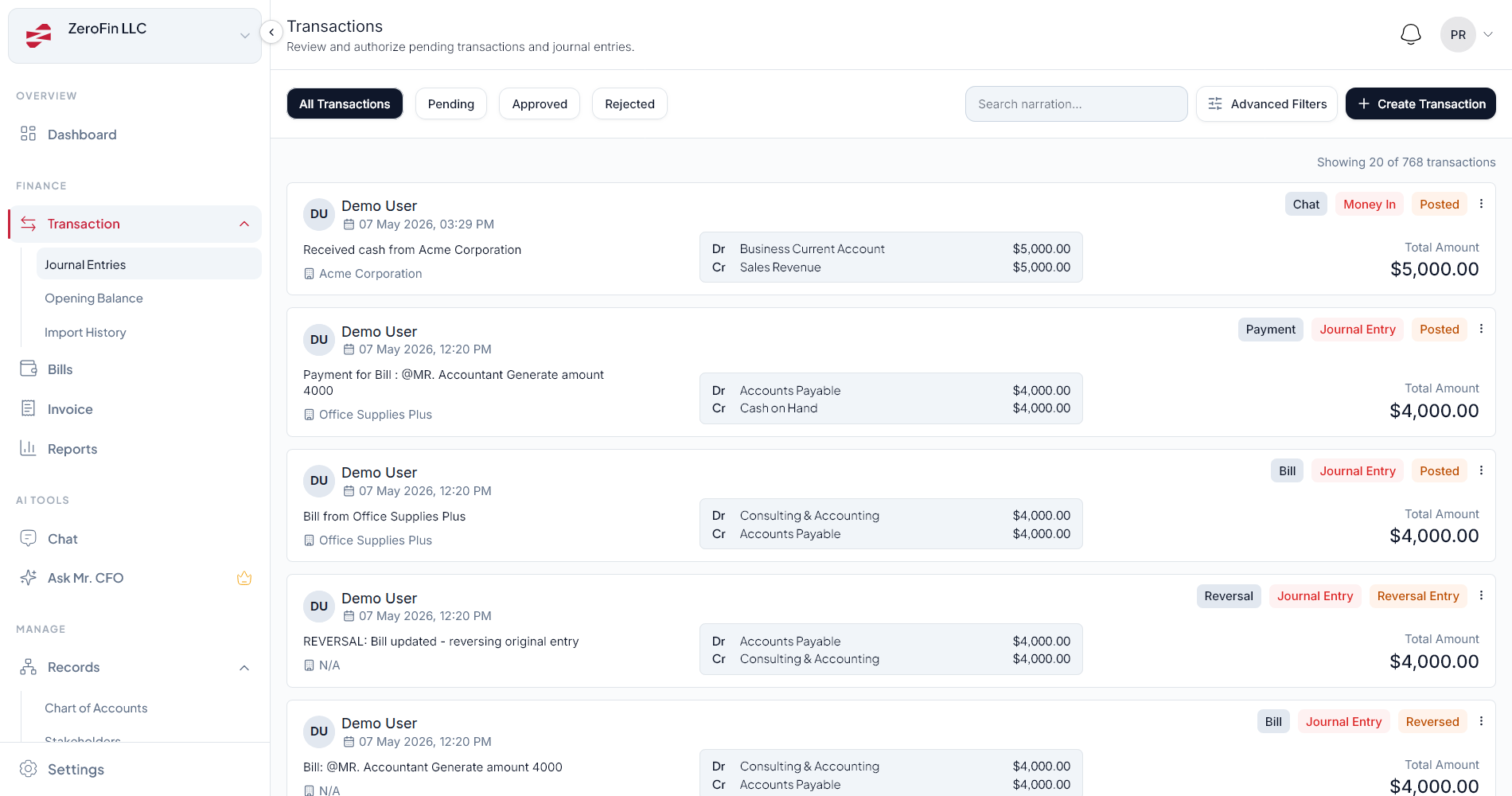
ZeroFin's AI reads the lines and drafts balanced journal entries into a separate review area. Nothing touches your books yet.
- 3
You review and approve
Check the accounts, VAT splits and transfers, correct anything that's wrong, and approve. Only approved entries post to your ledger.
- 4
Check each closing balance
ZeroFin doesn't compare imports with the bank's closing balances, so match each month-end balance against the statement yourself.
For day-to-day transactions after the catch-up, ZeroFin Mr. Accountant works on every plan: type “Paid AED 12,000 office rent for November”, or upload a receipt, and it drafts the entry for you to approve. ZeroFin doesn't connect to bank feeds, so new statements are added by upload.
What should you check before approving drafted entries?
Review checklist
- Every entry balances (debits equal credits)
- Income and expenses are in the right accounts
- VAT is split out where no invoice or bill exists
- Transfers between your accounts appear once
- No duplicate lines from overlapping statements
- Owner withdrawals aren't recorded as expenses
- Opening balance equals last month's closing balance
- Month-end balance equals the statement
Clean bank entries are the base for everything else: UAE Corporate Tax records, VAT returns your tax agent prepares, and the burn and runway numbers investors ask for. See how to prepare your books for UAE Corporate Tax, how to clean up messy books and catch-up bookkeeping in the UAE.
Frequently asked questions
How do you record a bank statement as journal entries?
Record each line as a double entry. Money in is a debit to the bank account and a credit to income, a customer balance or another account. Money out is a credit to the bank account and a debit to an expense, a supplier balance or another account. Then check that the bank account's balance in your books equals the statement's closing balance.
Can I import a bank statement PDF into accounting software?
Many tools accept CSV or Excel files; fewer read PDFs directly. ZeroFin's import accepts PDF, Excel (.xlsx) and CSV files of up to 25 MB on the Growth plan and above, and its AI drafts journal entries for you to review before they post.
How do I record VAT from a bank statement?
The bank shows only the total paid or received. If no invoice or bill is already recorded, split the total into the net amount and the VAT: at the UAE's 5% rate, a payment of AED 1,050 is AED 1,000 plus AED 50 of VAT. Saudi Arabia's standard rate is 15%. If the invoice or bill is already in your books, record the payment against the customer or supplier balance instead.
How do I record a transfer between my own bank accounts?
Debit the account that received the money and credit the account it left. It isn't income or an expense. Make sure you record it only once, even though it appears on both statements.
Does ZeroFin check imported statements against the bank's closing balance?
No. ZeroFin drafts balanced entries for you to review, but it doesn't compare them with the statement's closing balance. Check each month-end balance yourself after you approve the entries.
From messy books to CFO-level clarity
Book a free 20-minute Financial Clarity Diagnosis and see what trusted books look like for your business.
Book a Financial Clarity Diagnosis